

Whether you're ordering your first guide RNA or placing a repeat order, this step-by-step guide explains how to configure your synthetic gRNA, select the appropriate options, and submit your order.
You can also find our options for bulk ordering, and ordering custom modifications to your gRNA.
If you are ready, you can click here to start your order.
To ensure a smooth ordering experience, complete these steps before starting your order:
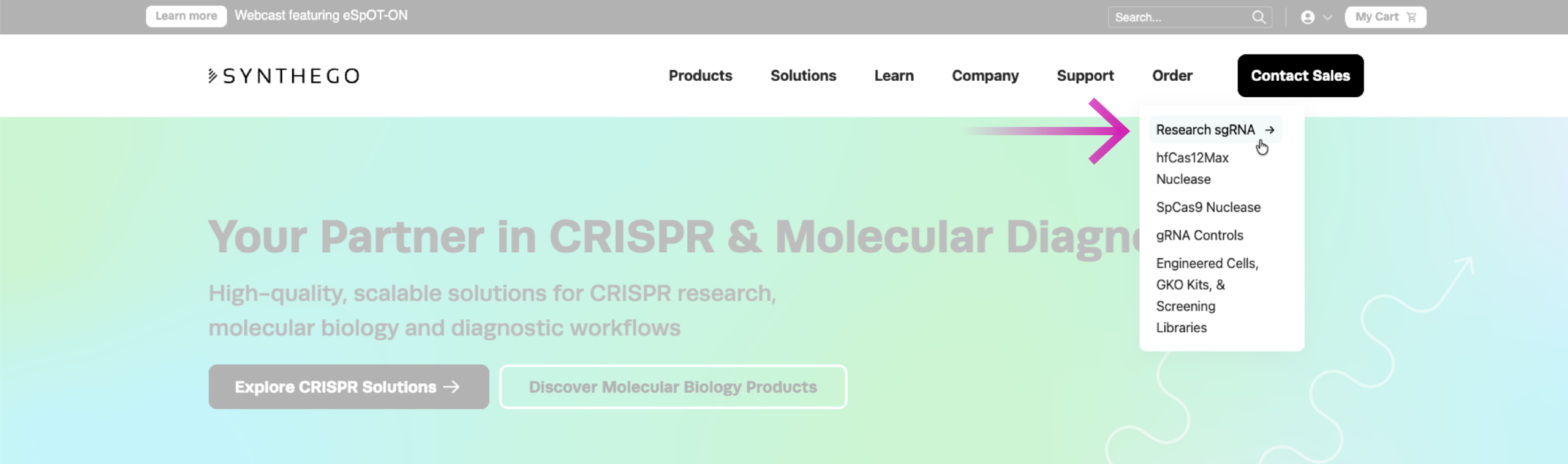
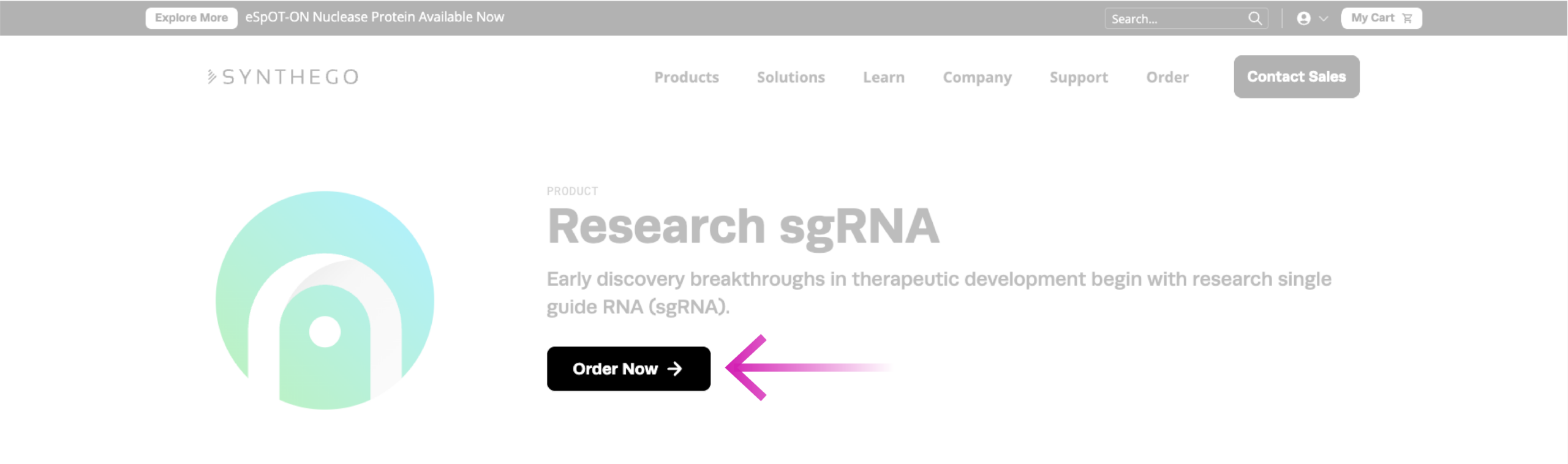
You can open our ordering portal by clicking the “Order” menu and selecting “Research sgRNA” and clicking “order now” from the Product Page.
Here is a quick overview of the various sections of our online gRNA ordering portal.
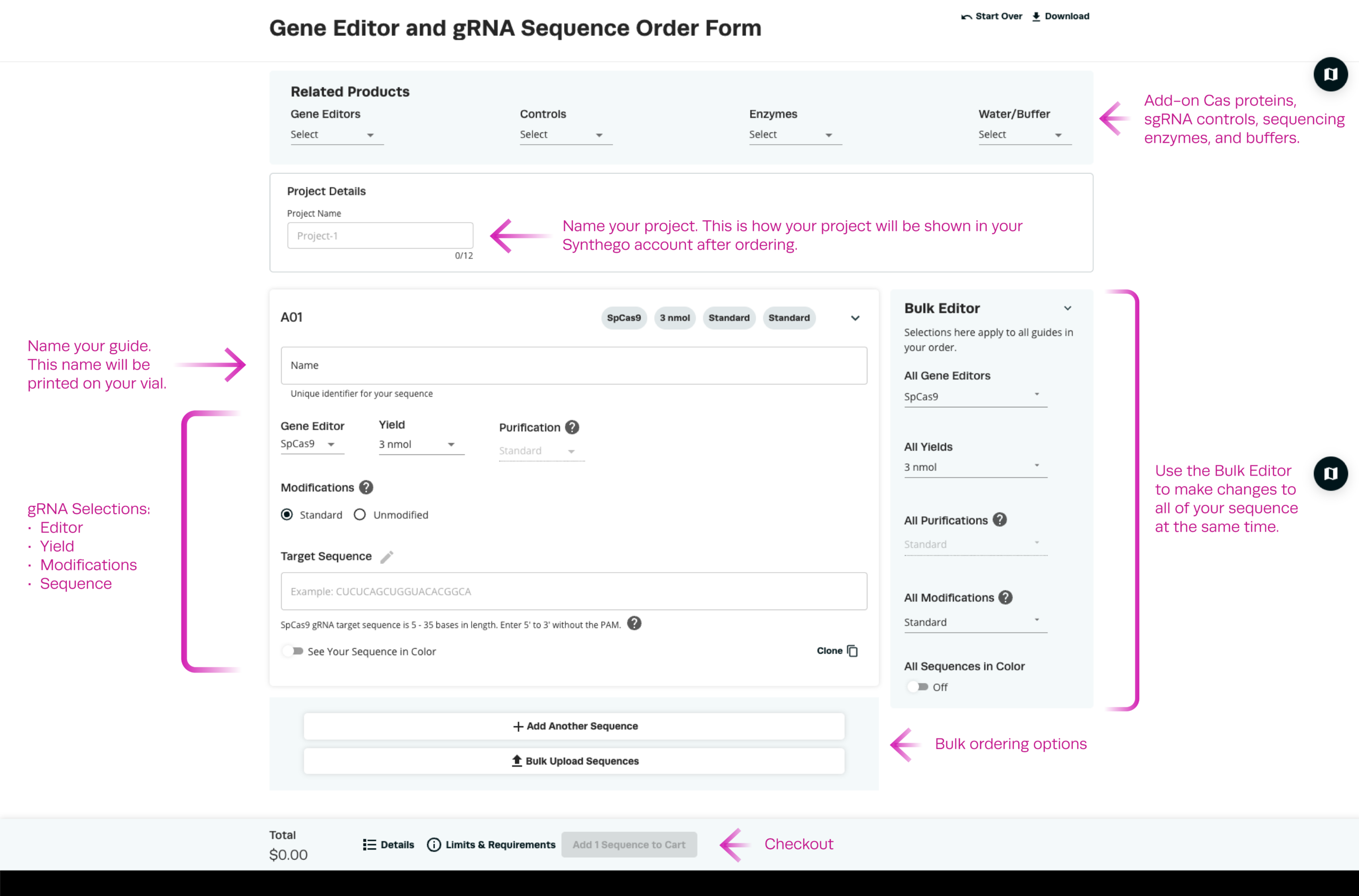
The first step for your order is to type in a name for your project, and then the name of your first sequence. Afterwards, navigate to the gRNA design selections, where you will find the following options:
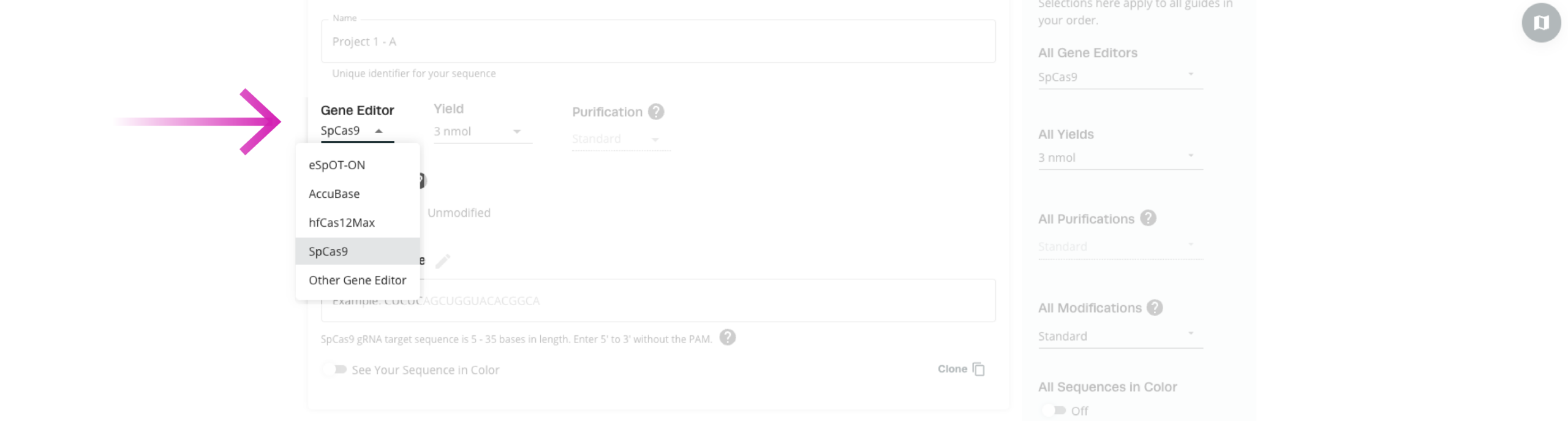
Choose a Gene Editor
Each gRNA is constructed with a scaffold sequence that corresponds to the Cas protein it will work with. Selecting a supported nuclease will ensure that your gRNAs are synthesized with the right scaffolds that work with your chosen gene editor. You may also choose the “other gene editor”, and provide your own full-length sequence instead.
Select a Yield
Choose how much synthetic gRNA you need based on the scale of your experiment.
Enter your target sequence in the sequence field.
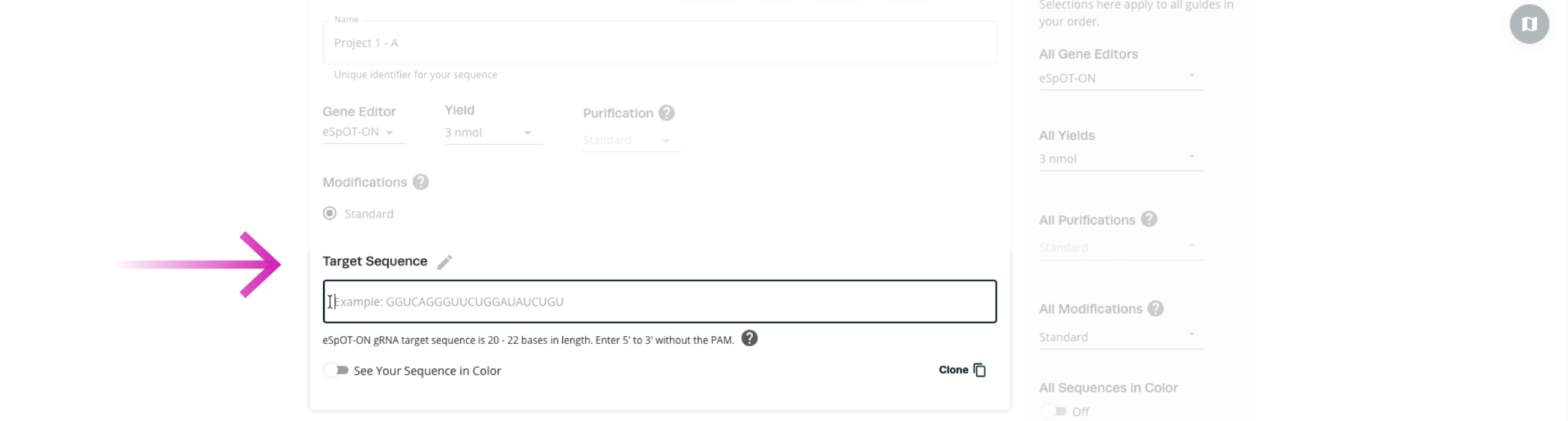
Before submitting your sequence, confirm that:
gRNAs can be chemically modified to improve their stability and editing performance. Some common modifications are:
We offer a range of chemical modification options for different gRNA applications. However, when ordering gRNA for a Synthego gene editor (eSpOT-ON, AccuBase, or hfCas12Max), the Standard option is the only available choice. These gRNAs are synthesized with Synthego-optimized chemical modifications, specifically designed for compatibility with the selected gene editor.
For SpCas9 only, you also have the option to order unmodified gRNA, which are synthesized without any chemical backbone modifications.
If you would like to order gRNA with custom modifications, select “Other Gene Editor“ and choose “User-Defined“. When using this option, you will need to provide the complete gRNA sequence, including the scaffold sequence and any required modifications for your nuclease.
Use the following notation to insert your user-defined chemical modifications:
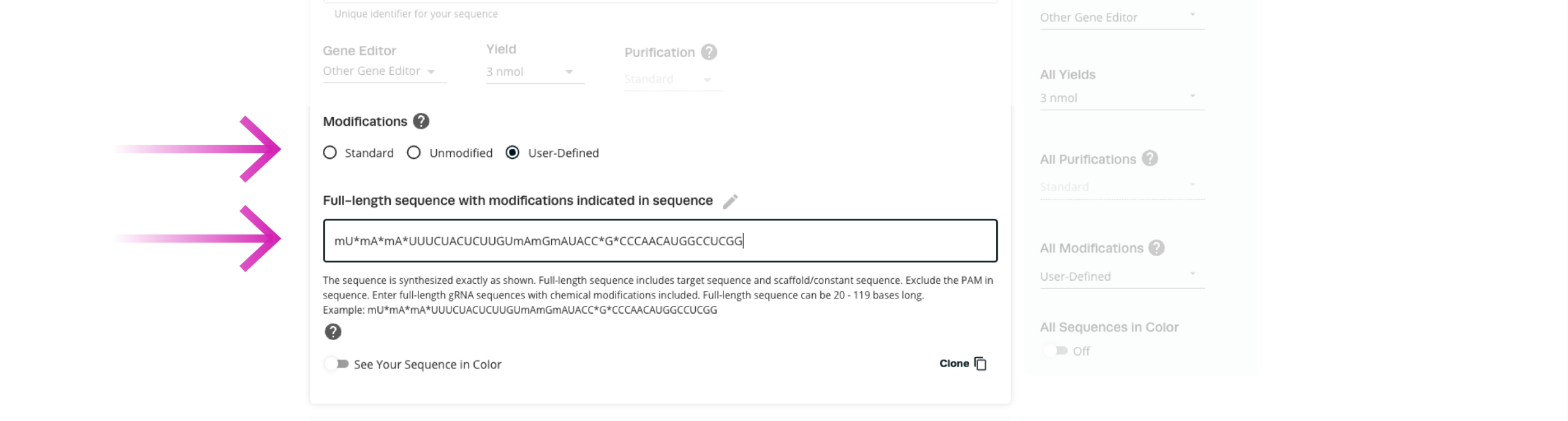
When you are happy with your sequence, you can either add more sequences to your order with the “+ Add Another Sequence” button, or proceed to checkout by clicking “Add [number] sequences to cart”

Before checkout, carefully review your order details, including
Guide information
Experimental requirements
Taking a moment to verify these details helps prevent common ordering errors and ensures that your gRNAs are configured correctly for your experiments.
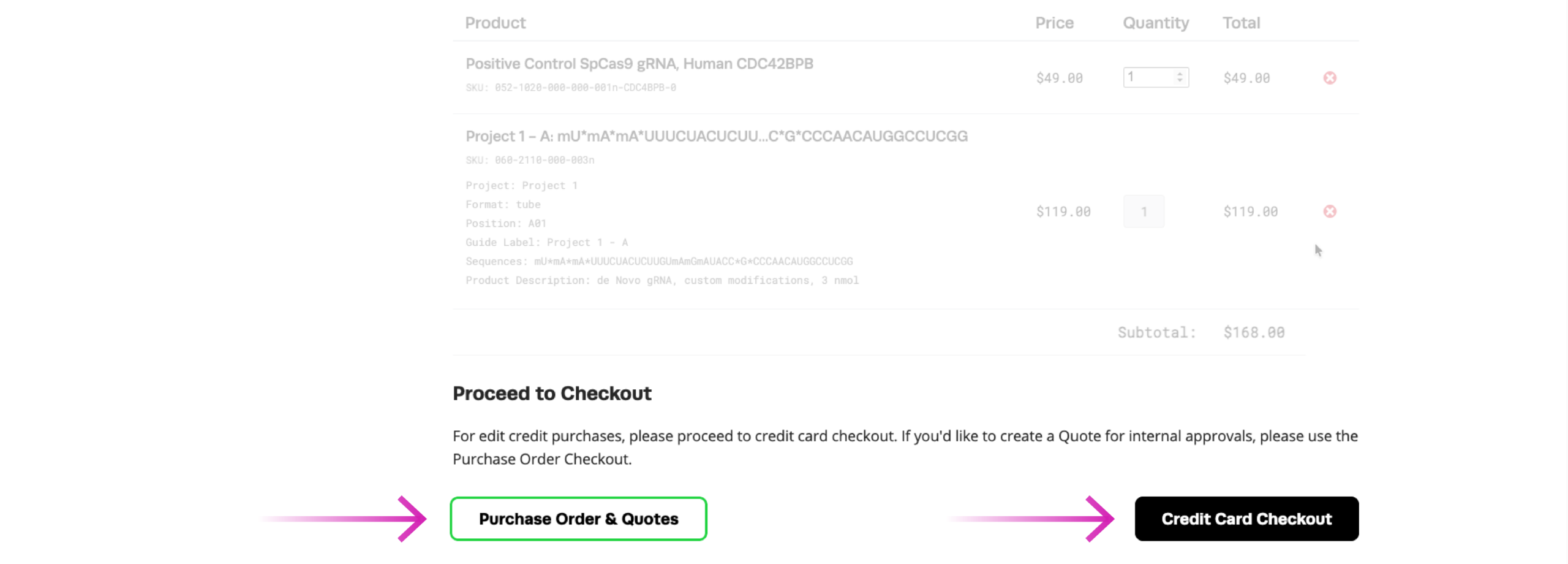
Once your order details are confirmed, you can complete checkout by requesting a quote or purchasing directly with a credit card.
After your order is accepted, Synthego will provide an estimated shipment timeline based on your selected product configuration. Because gRNAs are synthesized specifically for each order, production timelines may vary depending on your selected specifications. Most research gRNA orders ship in as little as 7 days.
For additional guidance on product selection, ordering, and troubleshooting your CRISPR experiments, explore our Help Center or contact the Synthego team for support.
Recombinase Polymerase Amplification (RPA) coupled with CRISPR-based detection offers a rapid, highly sensitive, and isothermal molecular diagnostic framework, bypassing the need for complex thermal cyclers. Operating at a constant 37°C...
Advancing a CRISPR program becomes more complex at every stage.
Cell-free protein expression (CFPE) systems enable rapid prototyping of protein constructs by expressing genes directly from engineered DNA templates in vitro. While linear templates allow fast iteration, circular DNA templates...
 Cart
Cart
 Account
 Your Orders
 Sign Out
 Sign In