

Ordering multiple guide RNA (gRNA) sequences? Synthego's plate ordering option makes it easy to configure and order synthetic gRNAs in a convenient 96-well plate format.
Whether you're screening multiple targets, testing different guide sequences, or scaling your CRISPR experiments, this step-by-step guide walks you through preparing your plate design, uploading sequences, reviewing your configuration, and completing your order.
Our bulk upload feature allows you to add 5–96 sequences at once, helping simplify the ordering process and reduce manual data entry.
Note: Plates have to be delivered with a consistent gene editor selection as well as a consistent nmol size.
Ready to get started? Start your plate order.
To ensure a smooth ordering experience, complete these steps before starting your order:
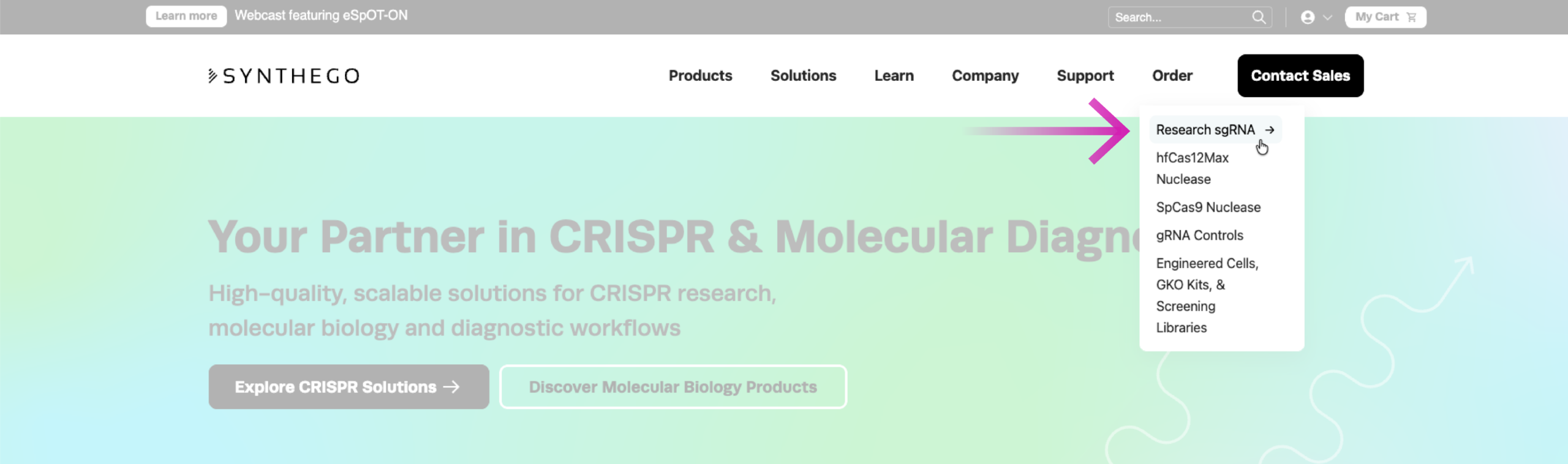
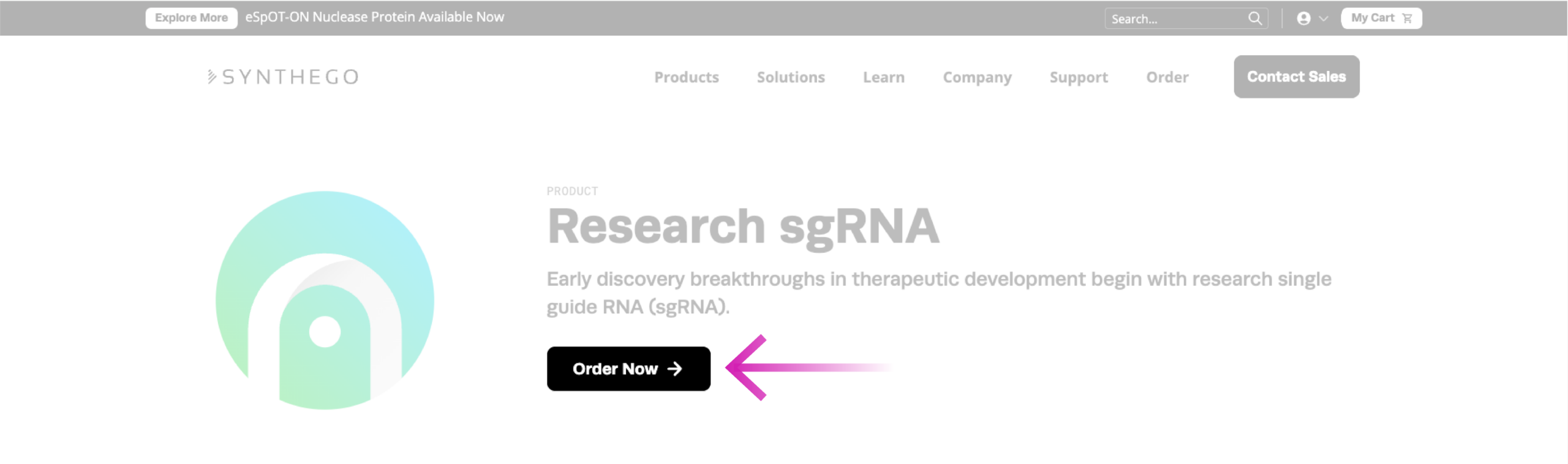
You can open our ordering portal by clicking the “Order” menu and selecting “Research sgRNA” and clicking “order now” from the Product Page.
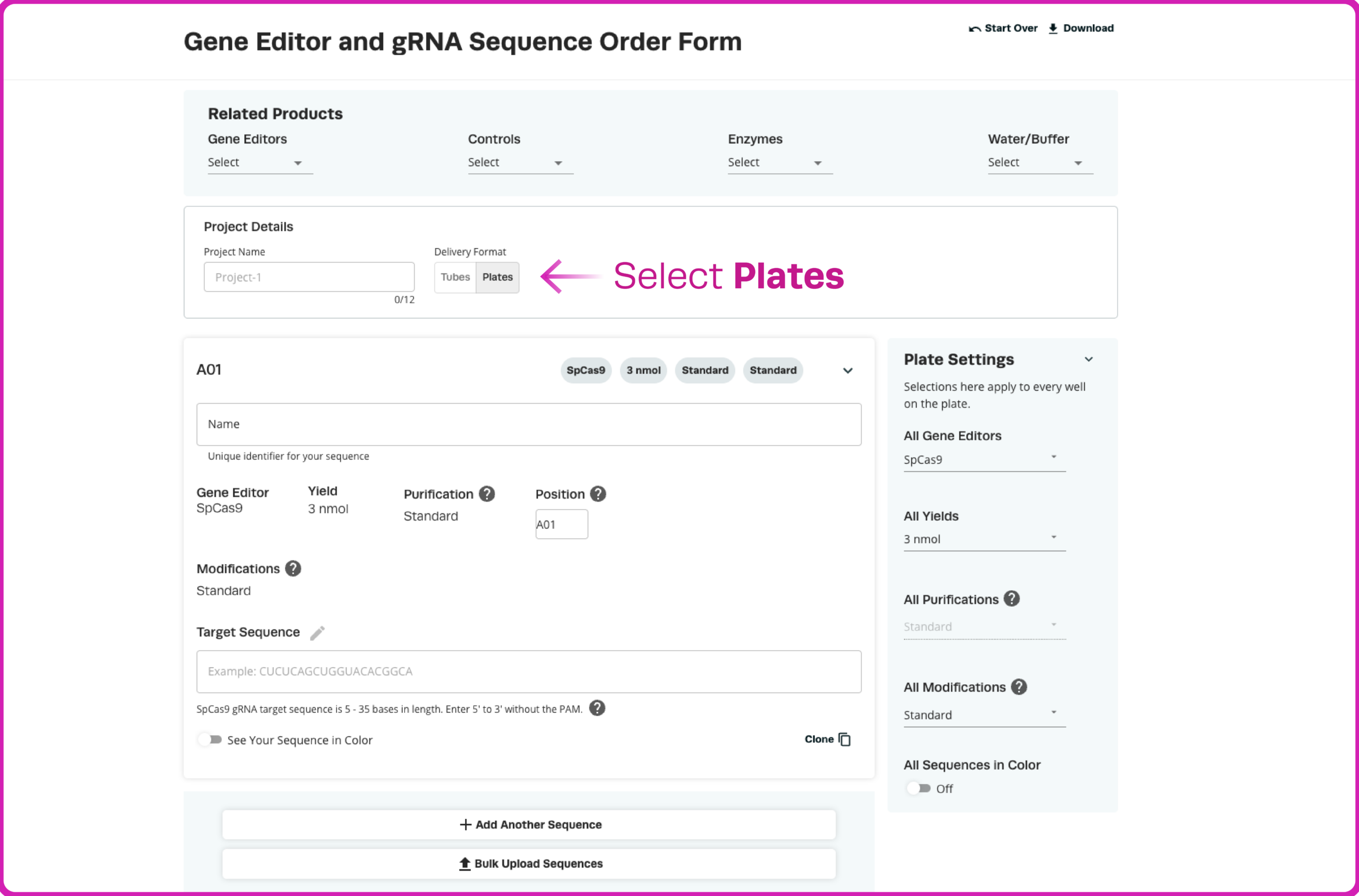
Here is a quick overview of the various sections of our online gRNA ordering portal.
Once inside the configurator, select "Plates" to begin setting up your order.
Important: You must select the Plates option before uploading your file. If this option is not selected, your order will default to tube format.
The easiest way to configure a plate order is through Synthego's bulk upload feature, which allows you to upload between 5 and 96 sequences using a CSV file.
There are two ways to prepare your file:
Option 1: Download the Sample CSV Template
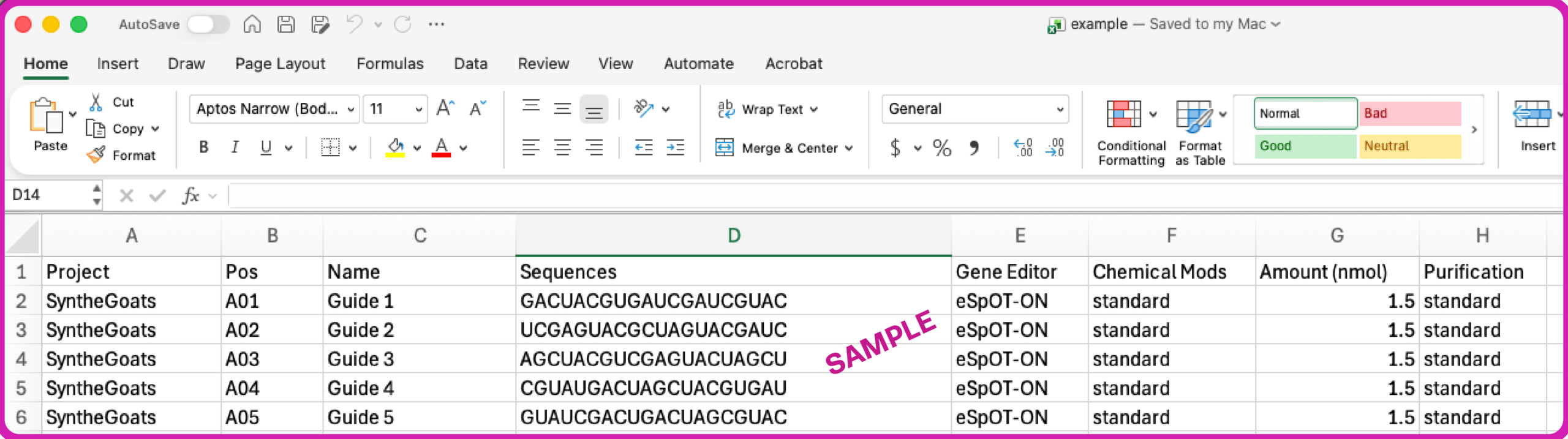
Download our Sample Plate Ordering Template – .XLSX to access a preformatted file with example values and required fields.
Note: This example file is designed to show available options to use within the excel file. You will need to modify the values to match your needs, knowing that a plate must use one consistent "Gene Editor" selection and one consistent "Size" selection.
Option 2: Create Your Own Template
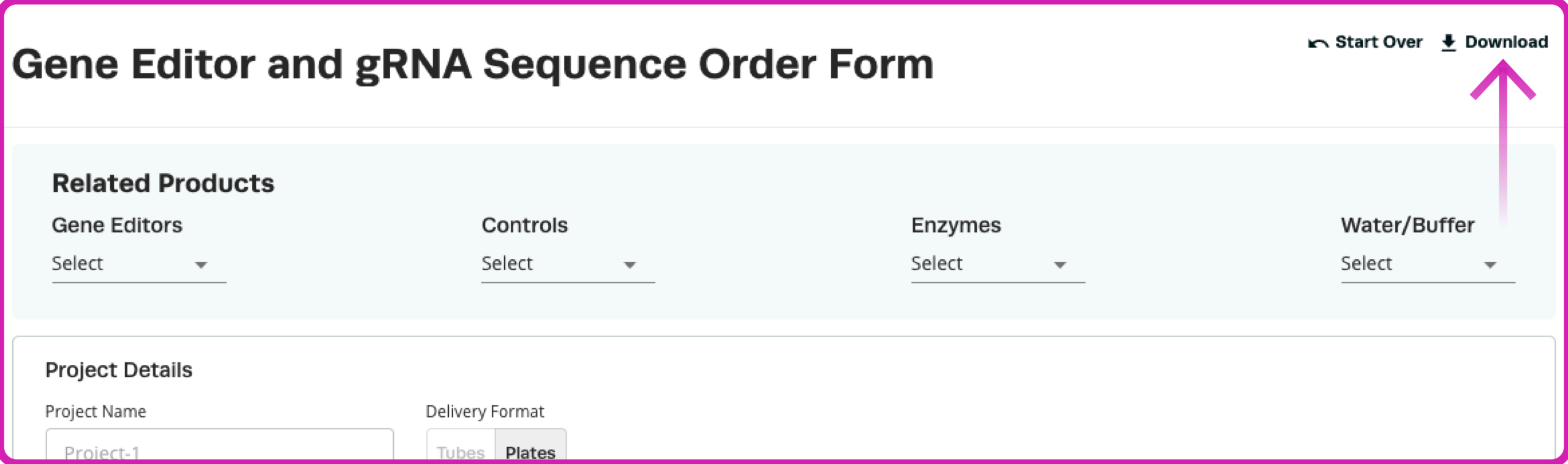
If you prefer, manually enter a few sequences into the configurator, then select "Download" in the upper-right corner to export your current configuration as a CSV file.
You can then use this file as a starting point for the rest of your plate design.
Once you've downloaded your CSV template, populate the required fields for each guide RNA sequence.
Each row represents an individual well in your plate. Make sure all entries follow the accepted formats and configuration requirements outlined below.
| Field | Description | Requirements / Accepted Values |
|---|---|---|
| Project | Name of your plate or project | Use the same project name for every row |
| Position | Well location within the plate | A01–A12 through H01–H12 |
| Name | Individual sequence or well identifier | Maximum 30 characters |
| Sequences | Guide RNA sequence to be synthesized | RNA notation preferred; sequence requirements depend on the selected gene editor and modifications |
| Gene Editor | Determines the appropriate guide RNA scaffold | SpCas9, eSpOT-ON, hfCas12Max, AccuBase, Other |
| Chemical Mods | Specifies the chemical modification configuration | Standard, None, or Other, depending on the gene editor |
| Amount(nmol) | Quantity of gRNA per well | 1.5, 3, 5, or 10 nmol |
| Purification | Purification method | Standard |
Plate Positions
The template supports a standard 96-well plate layout, with positions ranging from A01 to H12. If you're ordering fewer than 96 sequences, simply remove the unused rows from your CSV file.
Guide RNA Sequences
Sequences should preferably be entered in RNA notation (A, U, C, G). If your sequences are entered using DNA notation (A, T, C, G), the configurator provides an option to convert them to RNA after upload.
When using a supported Synthego gene editor, enter only the target-specific guide sequence. Do not include the PAM or scaffold sequence.
If you select "Other" as your gene editor, you must provide the complete guide RNA sequence, including the scaffold and any required chemical modifications.
For additional information on sequence length, orientation, and modification requirements, visit our Research sgRNA Ordering Guide.
Chemical Modifications
For eSpOT-ON, hfCas12Max, and AccuBase, select "Standard" to use the Synthego-optimized modifications designed for the selected editor.
For SpCas9, Standard and None (unmodified) options are available.
When using "Other" as your gene editor, select "Other" for chemical modifications and specify any required modifications directly within the sequence field.
Once your CSV file is complete, return to the Research sgRNA configurator.
The configurator will process your file and populate the plate configuration using the information provided.
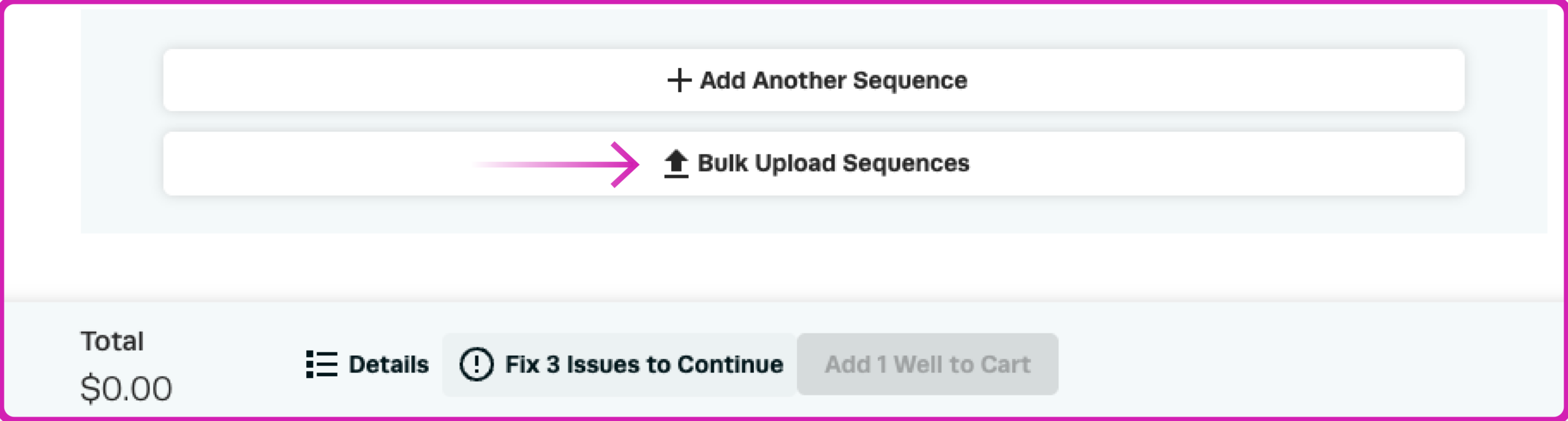
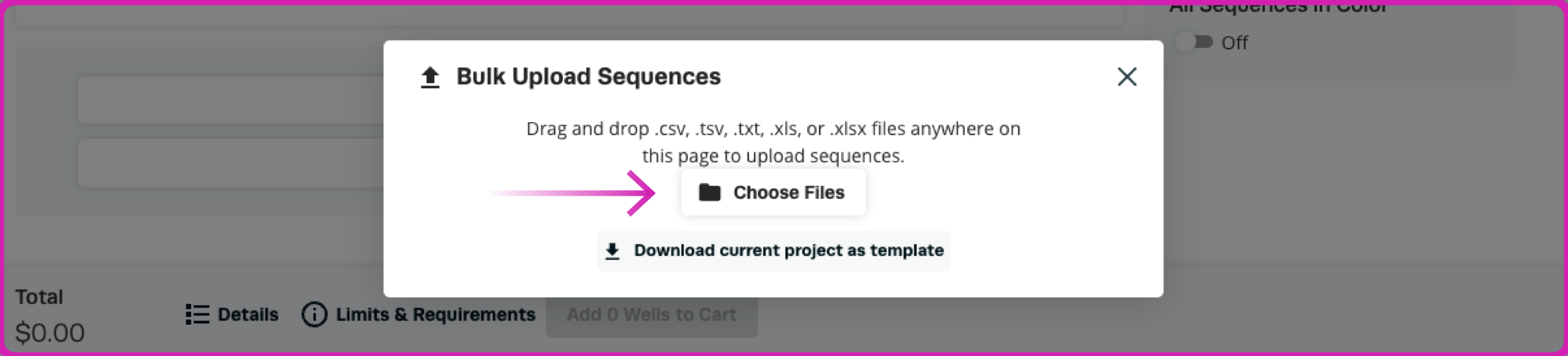
After uploading your CSV file, review your plate configuration to confirm that all sequences and specifications have been entered correctly.
Before proceeding, verify the following:
If your file contains errors or unsupported configurations, the configurator will display errors and warnings at the bottom of the page.
Common items to review include:
You can manually adjust sequence information and configuration details directly within the configurator to resolve any issues.
Once all errors have been addressed and your plate configuration is correct, you're ready to proceed.
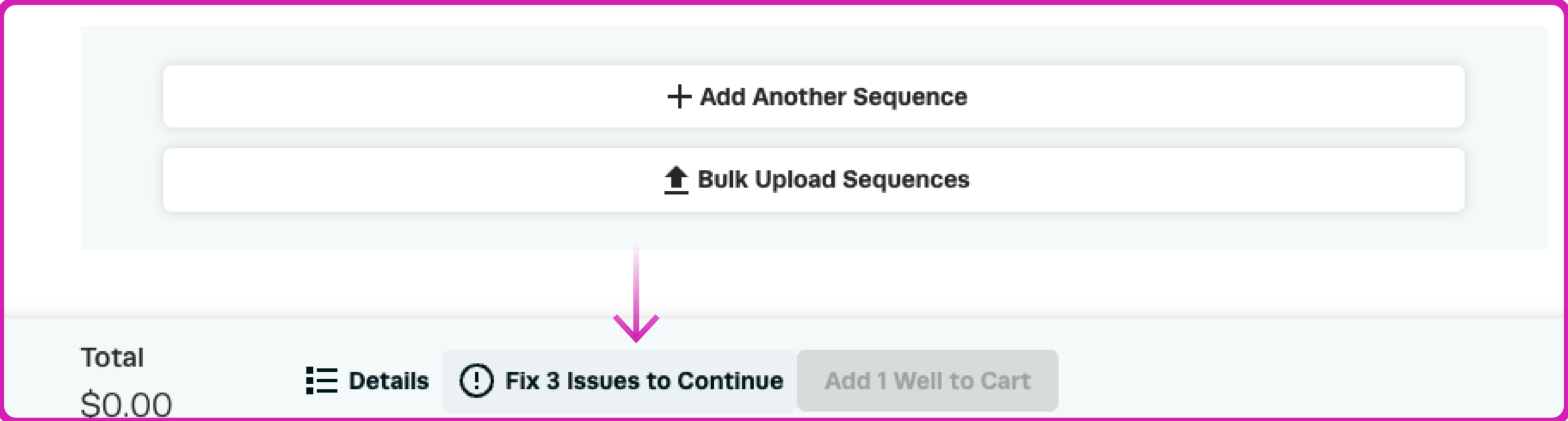
After reviewing your plate configuration, select "Add to Cart" to proceed with your order.
From your shopping cart, you can review your order details and complete checkout using the available purchasing options, including requesting a quote or purchasing directly with a credit card.
Once your order is accepted, Synthego will provide an estimated shipment timeline based on your plate configuration and order specifications.

Simplify your CRISPR workflow with convenient plate ordering and bulk sequence upload. Whether you're evaluating multiple guide sequences or preparing for larger screening experiments, Synthego makes it easy to configure your synthetic gRNAs in one order.
Need additional assistance? Explore our Help Center, review our Research sgRNA Ordering Guide, or contact the Synthego team for support.
Recombinase Polymerase Amplification (RPA) coupled with CRISPR-based detection offers a rapid, highly sensitive, and isothermal molecular diagnostic framework, bypassing the need for complex thermal cyclers. Operating at a constant 37°C...
Advancing a CRISPR program becomes more complex at every stage.
Cell-free protein expression (CFPE) systems enable rapid prototyping of protein constructs by expressing genes directly from engineered DNA templates in vitro. While linear templates allow fast iteration, circular DNA templates...
 Cart
 Account
 Your Orders
 Sign Out
 Sign In